Your Amazon account is finally reinstated-but your PPC history is a mess, rankings have slipped, and every keyword bid now feels like a costly guess. Turning the ads back on without a plan can drain cash fast, damage recovery momentum, and trigger new performance issues.
By understanding what changed during the suspension, tightening your catalog and budgets, and rebuilding campaigns in deliberate stages, you can stabilize ACoS, recover organic visibility, and scale profitably again. Expect a careful, data-driven reboot rather than an overnight fix, with attention on structure, bidding, keyword intent, and ongoing optimization tailored to 2026’s Amazon ad environment.
In the unpredictable world of e-commerce, a temporary setback isn’t just a hurdle; it’s an opportunity to redefine your strategy and emerge stronger. Your Amazon PPC campaigns should not just be relaunched-they should be revolutionized, turning challenges into your greatest catalysts for success.
Reference: Amazon Account Suspended? 3 Steps 2026 Appeal Guide
Introduction
Context and Objective
When your seller account is finally reinstated, it’s common to find that ad performance, organic rank, and sales have all slipped. Campaigns that once delivered a 25% ACOS may now be inactive, unprofitable, or missing key keywords because competitors like Pharmapacks or Anker filled the gap while you were offline.
This guide from The Appeal Guru focuses on a structured, low‑risk pay‑per‑click recovery process, not quick-win tricks. The goal is to help you avoid panicked budget spikes, rebuild data slowly, and keep your account clean in Amazon’s stricter 2026 policy environment.
By following this framework, you’ll stabilize performance, recover visibility on core SKUs, and then scale profitably instead of chasing short-lived surges that trigger review or overspending.
What This Guide Will Help You Do
Before you turn ads back on, you’ll know exactly what to audit: suppressed listings, buy box eligibility, budgets, negative keywords, and compliance history. For example, you’ll learn how to check brand safety flags in Seller Central before relaunching Sponsored Brands for a reinstated supplement line.
You’ll restart campaigns in clear phases-testing low bids, isolating high-intent terms, and monitoring TACOS daily-to avoid surprise $500 days on previously paused auto campaigns. All tactics are tuned to 2026 realities like tighter claims policies and higher CPCs in categories such as beauty and grocery.
What This Guide Won’t Promise
This is not a promise of instant profits, overnight rank jumps, or “secret” exploits. If your hero SKU fell from page 1 to page 4 during suspension, climbing back will take disciplined bidding, patient budget allocation, and listing optimization-not shortcuts.
You also won’t find risky tactics that could trigger another suspension, such as aggressive coupon stacking that mimics rebate schemes or keyword targeting around prohibited medical claims. Instead, expect a realistic roadmap that trades speed for stability, compliance, and durable growth over the next 3–6 months.
1. Understand What Happened: Connect Suspension Causes to PPC Risks
Clarify the Official Suspension Reason and Its Impact on Ads
Before you touch your campaigns, you need to know exactly why Amazon took action. Re-read the suspension email and the Performance Notifications in Seller Central to see whether the issue was product authenticity, review manipulation, restricted products, or poor performance metrics. Resources like the Amazon account reinstatement process guide outline these common triggers in detail.
Confirm whether the enforcement was account-wide, marketplace-specific (e.g., only Amazon.com, not Amazon.ca), or tied to certain ASINs. If only a few SKUs were hit, but your Sponsored Products campaigns still target them, those ads can quietly bleed spend while never serving or converting.
Identify Listing, Policy, or Performance Issues That Could Affect Future PPC
Once you know what went wrong, connect it to your listings and metrics. Create a list of all ASINs that were suppressed or deactivated and cross-check them against active campaigns in Campaign Manager. If a supplement SKU was flagged for “disease claims,” any headline ads repeating phrases like “cures arthritis” must be retired immediately.
Watch for patterns such as high click-through but low conversion on problematic products. A beauty brand selling retinol serum, for example, might see 10,000 clicks but under 2% conversion if the listing overpromises anti-aging results, putting both ad efficiency and compliance at risk.
Review Amazon’s Reinstatement Communication and New Constraints
After reinstatement, Amazon often imposes conditions that directly affect advertising. Carefully review the reinstatement email and Case Log notes for language like “heightened monitoring,” “probation,” or “continued documentation required.” These phrases signal that any borderline ad copy can trigger a fresh investigation.
Note any limits on specific categories or ASINs. For instance, a seller previously suspended for pesticide claim violations on cleaning sprays may be allowed to sell again but barred from using certain keywords or from expanding into adjacent chemical-based categories for a set period.
Map Root Causes to a Revised Advertising and Compliance Strategy
Translate every root cause into concrete PPC rules. If review manipulation was cited, prohibit ad messaging that even hints at incentives for feedback. If trademark complaints led to enforcement, block competitor brand terms from your keyword lists and negative match them inside Sponsored Products and Sponsored Brands campaigns.
Document these decisions in a simple compliance playbook that covers listings, ad language, keyword boundaries, and customer communication. Treat this playbook as the guardrail for your media buyers and agencies, so anyone touching your ad account knows exactly what is off-limits and why.
2. Stabilize Your Account Before Spending on PPC
2. Stabilize Your Account Before Spending on PPC
Confirm Full Account Health Restoration
Before relaunching ads, treat your Amazon account like a patient just out of surgery-stable first, then activity. Inside Seller Central, review the Account Health dashboard to confirm policy, shipping, and customer service metrics are all green or within Amazon’s acceptable ranges.
Check that your core ASINs are active and eligible for advertising. For example, if your top FBA SKU was recently suppressed for “image non-compliance,” confirm the suppression is cleared and that you’re winning the Buy Box at least 80–90% of the time; otherwise, your ad spend will simply push traffic to competing sellers.
Audit Listings for Policy Compliance, Keywords, and Conversion Readiness
Once your account is steady, review every high-priority listing for compliance and conversion. Scrub titles, bullets, and A+ content for risky phrases like “cures anxiety” or “guaranteed results,” which often trigger policy issues in health, beauty, and supplement categories.
Use tools such as Helium 10 or Jungle Scout to validate that your main keywords match actual shopper intent and can convert. Then review images and video against Amazon’s style guides-brands like Anker and Simple Modern consistently pair clean white-background main images with clear lifestyle photos before pushing significant ad budgets.
Validate Inventory, Pricing, and Logistics to Support Ad-Driven Demand
PPC only works when you can keep products in stock and profitable. Confirm at least 30–60 days of inventory on your hero SKUs based on realistic sales forecasts, and verify your restock plans in Seller Central or your 3PL dashboard.
Review landed costs, storage fees, and shipping to ensure your post-suspension pricing still leaves healthy margins. For example, many sellers saw higher FBA fees in 2024 and needed to raise prices $1–$2 to keep ads profitable while still offering competitive delivery times and low return friction.
Decide Which Products Are Safe and Strategic to Re-Advertise First
With your foundation set, rank ASINs by risk and potential. Create a simple green–yellow–red framework: green for fully compliant SKUs with solid reviews, yellow for unproven or recently edited listings, and red for items previously tied to policy warnings or safety complaints.
Start your first PPC wave with a handful of green “hero” products-think your top 3–5 SKUs with at least 4.3+ star ratings and reliable supply. Delay or tightly cap ad spend on any product that was part of the suspension until it has been thoroughly corrected and monitored for several weeks without new violations.
Reference: 7-step system to optimize Amazon PPC for profit
3. Audit Your Old Amazon PPC Campaigns for Relaunch
Analyze Pre-Suspension Campaigns: What Worked, What Failed, What’s Risky
Before relaunch, treat your historical ads as a data goldmine. Export at least 60–90 days of Sponsored Products and Sponsored Brands performance so you can see trends, not just snapshots.
Pull bulk and placement reports, then sort by ACoS, ROAS, conversion rate, and spend. For example, one seller in a Real Amazon PPC Product Launch ($50k/mo Edition) breakdown found that only 15% of keywords drove 80% of sales; the rest drained budget.
Flag high-spend, low-return search terms that might have triggered policy reviews-such as aggressive competitor targeting or irrelevant broad matches. Treat any campaign with unstable ACoS spikes as risky until you understand what caused them.
Identify Campaigns to Pause, Rebuild, or Clone for a Clean Restart
Once you’ve analyzed trends, classify every legacy campaign. You want a clean structure when your account is reinstated, not a reactivation of chaos.
Keep only clear, profitable builds-like tightly themed ad groups with consistent 20–30% ACoS and stable click-through rates. Clone these into new campaigns with lower bids, fresh budgets, and more conservative targeting rules.
Archive messy campaigns that mix auto, broad, and exact in one ad group or lack clear goals. Those legacy builds often hide wasted spend and can quietly pull your account back into trouble.
Review Historical Search Term Reports for Profitable and Dangerous Queries
Search term reports reveal how shoppers actually found you. Go through at least the last 60 days of data to spot recurring, profitable phrases with strong ROAS and conversion rates.
Promote these high-intent terms-like “organic turmeric capsules 120 count” instead of just “turmeric”-into exact match keywords in your relaunch structure. These are the foundation of reliable, controlled performance.
At the same time, build a negative list from irrelevant or sensitive queries, including competitor brand names and possible trademark issues. Load these as account-level and campaign-level negatives from day one.
Document Your New PPC Baseline Rules Post-Reinstatement
To protect your reinstated account, write down hard rules before you spend the first dollar. Define baseline maximum CPC, daily budgets, and acceptable ACoS and TACoS for the first 30 days.
For example, cap new campaigns at 50–60% of your pre-suspension bids, with no more than 20–30 keywords per ad group and clear match-type separation. This keeps data clean and mistakes visible.
Create clear triggers for action: pause keywords after 25–30 clicks without a sale, lower bids after ACoS is 2x your target for a week, and never expand targeting into restricted or gray-area terms without a compliance review by your internal team or The Appeal Guru.
Reference: Amazon PPC Audit Checklist: 15 Checks
4. Design a Low-Risk PPC Relaunch Plan After Reinstatement

4. Design a Low-Risk PPC Relaunch Plan After Reinstatement
Prioritize Core SKUs and Hero Products for Your First PPC Recovery Wave
After reinstatement, your goal is survival and stability, not instant scale. Start by isolating 5–15 proven SKUs that you trust from a compliance and performance standpoint.
For example, a beauty brand selling CeraVe-style cleansers might relaunch only its top 3 ASINs that historically drove 70% of ad revenue with a sub-25% ACoS, while pausing newer, untested variations. This protects cash flow and reduces the chance of policy flags on fringe products.
Choose the Right Campaign Types to Restart First
Begin with Sponsored Products because they are the most direct, bottom-of-funnel format and give you clearer attribution. This mirrors how large brands like Anker rebuild performance after major listing changes-they stabilize Sponsored Products, then layer in branding formats.
Only once your listings are clean and stable should you reintroduce Sponsored Brands and Sponsored Brands Video. Keep Sponsored Display limited to retargeting warm audiences and branded searches until ACoS and conversion rates normalize.
Structure Campaigns for Control: Match Types, Segmentation, and Budget Tiers
Segment campaigns by intent: branded, competitor, and generic terms in separate structures. A seller targeting “Nike running shorts,” “Adidas shorts,” and “men’s running shorts” should not mix all three in one campaign if they want clean data and budget control.
Use exact-only campaigns for your best keywords, with phrase and broad in separate, lower-budget campaigns. Create protected “core” campaigns (non-negotiable budget) and small “test” campaigns with strict daily caps so a bad test cannot drain your entire PPC budget overnight.
Set Conservative Launch Budgets and Pacing Aligned with Cash Flow and Risk Tolerance
Restart with conservative daily budgets-often 30–50% of your historical spend-until you see stable metrics for at least 7–14 days. An 8-figure seller working with The Appeal Guru, for instance, restarted at $200/day instead of their usual $600/day and scaled only when ACoS held below target for two weeks.
Use portfolio caps to hard-limit total daily exposure, and write clear internal rules such as: “Increase budget by 10–20% only if ACoS stays below 25% and there are no new Amazon policy warnings.” This disciplined approach reduces the risk of another account disruption while you rebuild momentum.
Reference: Risk Factors for Post-operative Planned Reintubation in …
5. Implement Smart Bidding & Budget Controls for PPC Recovery
Start with Controlled Bids: How to Set CPCs After Reinstatement
After an account comes back online, the goal is to regain profitable traffic without triggering new policy issues or cash burn. Start by anchoring bids to what worked before, while recognizing that competition and relevancy may have shifted during the downtime.
If your best keyword for a vitamin supplement previously averaged $1.20 CPC at a 25% ACoS, relaunch at $0.80–$0.90 and monitor for 3–5 days. Avoid 100%+ top-of-search multipliers until you confirm conversions and listing health are stable. Many sellers using Amazon’s “Dynamic bids – down only” see safer re-entry before testing “up and down” or rules-based bidding in tools like Pacvue or Helium 10.
Use Negative Keywords Early to Protect ACoS and Avoid Compliance Flags
Filtering bad traffic is just as important as bidding strategy when you’re rebuilding. A strong negative list keeps you away from irrelevant clicks and terms that previously drew unwanted Amazon scrutiny.
For example, a CBD-adjacent topical brand should exclude “ingestible CBD,” “gummies,” and medical-claim phrases to avoid policy friction. In the first two weeks, review search term reports daily and block anything with 10+ clicks and zero sales, or any compliance-sensitive wording. Segment negatives at ad group level so a broad “pain relief cream” campaign doesn’t accidentally block a profitable “joint support” niche that remains compliant.
Allocate Budgets Between Branded, Competitor, and Generic Keyword Campaigns
Budget allocation determines how quickly you can stabilize revenue versus explore growth. Defensive campaigns around your own brand name usually deliver the best ROAS and should be funded first.
If “XYZ Naturals” drives a 15% ACoS on branded terms, keep 40–50% of your daily budget there until you’re back to baseline sales. Then devote 20–30% to generic searches like “turmeric capsules” with a stricter ACoS cap, and the remaining to competitor targeting, such as bidding on “Sports Research turmeric.” Review performance weekly and shift spend out of any segment that exceeds your target ACoS for more than 5–7 days.
Leverage Dayparting and Placement Controls to Reduce Wasted Spend
Time-of-day and placement controls help you squeeze more from limited budgets right after reinstatement. Use Amazon Marketing Stream data or third-party tools like Sellics to identify when shoppers actually convert, not just click.
If you sell office organizers and see conversion rates spike between 7–10 p.m. ET but tank after midnight, throttle bids or pause campaigns during low-performing hours. For placements, start with modest +10–20% top-of-search adjustments and evaluate whether those clicks convert better than product page placements. If product detail pages consistently show high spend and under 10% conversion, scale their bid modifiers back to zero until profitability improves.
Reference: The Best PPC Bid Management Guide
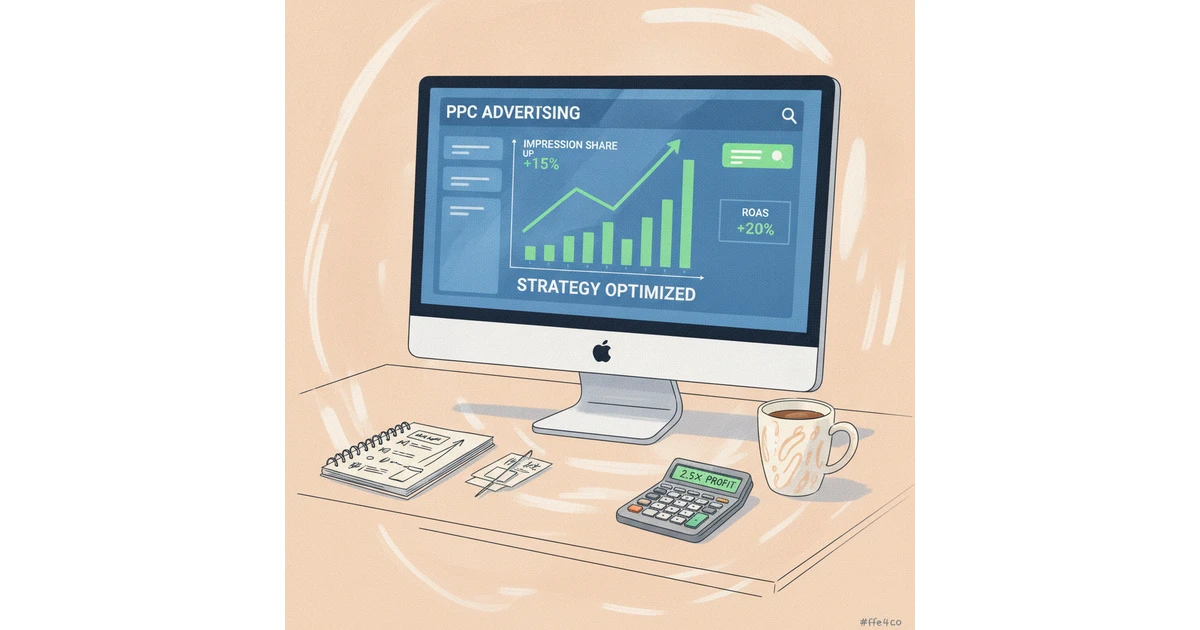
6. Rebuild Ranking & Profitability with Amazon PPC Recovery Strategies
6. Rebuild Ranking & Profitability with Amazon PPC Recovery Strategies
Use PPC to Slowly Rebuild Organic Ranking Without Overspend
After a suspension or major policy issue, your products often lose organic rank, so paid traffic becomes your bridge back to visibility. The goal is to buy only the traffic that genuinely accelerates long-term placement, not every possible click.
Start by isolating 5–10 core search terms that truly define your product, like “organic turmeric capsules” or “BPA-free kids water bottle.” Run tightly controlled campaigns around these while capping daily budgets to avoid runaway spend.
For example, a supplements brand using Helium 10 and Amazon Brand Analytics can track when boosting paid orders on “ashwagandha gummies” moves the listing from page 3 to page 1. If each rank improvement costs more in ads than it returns in profit, you dial bids back and protect cash flow.
Balance Launch Keywords vs. Proven Converters from Past Data
When rebuilding, historical data from tools like Sellerboard or Jungle Scout is one of your safest guides. You already know which phrases used to convert, so those become your first priority.
Re-launch exact match campaigns around proven terms-if “silicone baking mat set” had a 20–25% ACoS before the issue, give it top budget and higher bids. Then introduce a separate campaign for experimental launch phrases such as “reusable oven liner” with tighter bids and clear ACoS limits.
Keep proven and test keywords in different campaigns and portfolios. That way, if new phrases like “nonstick baking sheets” burn through ad spend without sales, you can pause them instantly without starving your reliable revenue drivers.
Combine PPC with Listing Optimization to Improve Conversion
No ad strategy can rescue a weak listing. To make every click count, refine your images, titles, and bullets based on real shopper behavior from Amazon Search Term Reports and click-through data.
A kitchen brand might replace a dark, cluttered main image with a bright lifestyle shot showing the baking mat inside a standard 18×13 inch tray. Titles that highlight exact sizes, counts, and benefits-like “3-Pack, Dishwasher Safe, PFOA-Free”-often lift click-through and conversion rates.
Invest in A+ Content and Brand Story, especially if you compete in crowded categories like supplements or beauty. Brands such as Anker and Hero Cosmetics use clear comparison charts and ingredient callouts to justify premium pricing, which directly improves return on ad spend.
Track and Improve Profitability Metrics: ACoS, TACoS, and Contribution Margin
During recovery, chasing cheap clicks without watching profitability is a fast route back to financial trouble. Monitor ACoS at campaign and keyword level, but judge success by your TACoS trend-if TACoS drops from 18% to 12% over a month, your ads are supporting more organic sales.
Calculate contribution margin after Amazon fees, cost of goods, and ad spend. For instance, if a $30 product nets $12 after fees and COGS, and you spend $6 per sale on ads, your real margin is only $6. That number should guide bid caps and daily budgets.
Set hard thresholds-such as pausing keywords above 40% ACoS on low-margin items or reallocating spend to SKUs with at least 25–30% contribution margin. This disciplined approach helps The Appeal Guru’s clients stabilize cash flow while rankings recover, instead of betting everything on aggressive, unprofitable ads.
Reference: Stockout Consequences and Recovery Strategies on …
7. Monitor, Troubleshoot & Adjust in the First 30–60 Days
Set Up a 7-, 14-, and 30-Day PPC Performance Review Cadence
Once your ads are live again, treat the first 30–60 days like a recovery window, not “set and forget.” A clear review rhythm helps you react fast without over-editing campaigns daily.
At 7 days, review early data in Amazon Advertising and tools like Sellics or Helium 10. Look for signs of traction: click-through rate above 0.4–0.5%, ACOS trending toward your targets, and search terms generating first sales. Make small bid and keyword tweaks rather than major restructures.
By day 14, reassess structure: are auto campaigns feeding strong terms into exact match? Are branded and non-branded queries separated? At 30 and 60 days, compare impressions, spend, and profit against your reinstatement goals and build a longer-term roadmap based on what’s actually working.
Spot Early Warning Signs and Address Them Quickly
During this period, your priority is catching problems before they trigger another setback. Warning signs often appear in the numbers before they hit your bank account.
If you see CPCs climbing 30–40% week over week with flat or falling CTR, your targeting or relevancy is off. For example, sellers bidding aggressively on broad “vitamin” terms often see expensive clicks and no sales compared with more specific phrases like “vitamin C gummies for kids.” Low CTR on top-of-search placements may signal weak main images or headlines.
Log into Seller Central daily to check for ad policy flags, suppressed ASINs, or listing changes. A single new “Restricted products” notice can quietly shut down your best campaigns unless you respond quickly or contact The Appeal Guru to help clarify compliance.
Decide When to Scale Budgets vs. When to Pause and Re-Optimize
Not every reinstated campaign should be scaled. First, prove that your ads can generate stable, profitable orders over at least 1–2 consistent weeks.
When a campaign holds a sustainable ACOS and steady conversion rate for 10–14 days, raise budgets by 10–20% at a time. For instance, if a sponsored products campaign at $50/day generates a 25% ACOS on a $40 item, test $60, then $70, while watching TACOS and organic rank. Reduce or pause any campaigns that stay unprofitable after logical fixes to bids, negatives, and placements.
Before you abandon a strategy, try structural changes first: break out high-intent keywords into their own ad groups, refresh creative for Sponsored Brands, or shift broad match terms to phrase or exact to cut wasted spend.
Document Learnings to Refine Your Long-Term PPC Playbook
The first 30–60 days after reinstatement provide a stress test for your entire advertising approach. Capturing what worked and what failed will protect you during future disruptions.
Document which actions stabilized results fastest-such as tightening targeting, capping bids on risky terms, or aligning copy more closely with Amazon policy. Turn these into internal SOPs covering weekly checks, negative keyword reviews, and compliance audits.
Use this experience to design contingency plans: a “restart checklist,” backup campaigns you can activate with conservative budgets, and a process for escalating policy questions. The Appeal Guru can help formalize these playbooks so that if an issue happens again, your ads return more smoothly and with less revenue loss.
Reference: 30-60-90 Day Plan Template
8. When to Get Expert Help (and How The Appeal Guru Can Support You)
Recognize When PPC Issues Signal Deeper Account Health or Policy Risk
Ad performance problems are sometimes symptoms of larger compliance or account health issues, not just weak campaigns. When Sponsored Products or Sponsored Brands are repeatedly disapproved, or ASINs suddenly lose buy box share after ad tweaks, it can point to hidden policy or listing problems.
For example, we’ve seen sellers in Beauty watch ACOS spike right after changing titles to add high-volume keywords, only to receive “misleading claims” policy flags within days. If your Account Health dashboard starts showing new violations right after major campaign or listing edits, it is time to involve an expert.
Determine Whether to Self-Manage PPC or Bring in Specialized Support
Managing recovery in-house can work when you run a lean catalog, modest ad spend, and have someone who understands both ads and policy. A private-label brand spending $3,000 per month across five SKUs can usually test conservative bids and tighten targeting without huge risk.
By contrast, a brand investing $50,000+ per month across 100+ ASINs, especially after a suspension, faces much higher downside if a misstep triggers another review. Here, support from a team that understands reinstatement history and risk thresholds often protects far more revenue than their fee costs.
How The Appeal Guru Approaches PPC Recovery After Account Reinstatement
The Appeal Guru starts with compliance first, not clicks. We align your ad structure with Amazon policy, your reinstatement conditions, and current Account Health metrics before a single campaign is relaunched. That includes checking restricted keywords, sensitive categories, and past violation patterns.
We then run a structured audit of listings, search term reports, and historical ACOS to design a phased relaunch. For instance, we may begin with branded and high-intent exact-match keywords at low bids, monitor for two to four weeks, then gradually layer in broader targeting as we confirm both profitability and policy stability.
Ask the Right Questions Before Trusting Any Agency Post-Suspension
After a suspension, you cannot afford an aggressive agency that ignores risk. Ask any potential partner how many reinstated accounts they’ve managed and what processes they use when ads trigger new violations. Press for concrete examples of balancing growth and safety, such as temporarily capping bids in categories with higher enforcement.
Clarify how often they report (weekly vs. monthly), which metrics they prioritize beyond ROAS-like policy flags, stranded inventory, and buy box share-and how they’ll alert you if they see warning signs. The Appeal Guru, for instance, provides structured reporting that pairs PPC data with Account Health snapshots so you see both sides of the risk–reward equation.
Reference: The top 5 Mistakes Sellers Make When Attempting to …
Conclusion: Your Roadmap to a Safe, Profitable PPC Relaunch
1. Recap the Critical Steps from Stabilization to Scaling After Reinstatement
Recovering from a suspension is less about flipping ads back on and more about rebuilding a controlled system. First you confirm why Amazon shut you down, stabilize account health, and clear all compliance warnings before touching bids or budgets.
Then you audit legacy campaigns, strip out waste (like broad match terms that burned through $2,000+ with no sales), and launch a lean structure. Brands like Anker often start with tightly focused exact-match campaigns to protect ACoS, then layer in broader targeting only after data proves profitability.
2. Shift Your Mindset for Safe, Long-Term Advertising
Successful sellers treat policy alignment as a growth constraint, not an afterthought. For example, supplement brands that follow FDA-style language rules in their listings almost never face repeated “misleading claims” violations, even as they scale Sponsored Products.
Think of ads as a long-term investment in rank and reviews: a reinstated toy brand might accept a 25–30% ACoS for 60 days to regain organic placement, tracking improvements in keyword rank with tools like Helium 10 or Jungle Scout.
3. Protect Your Account Long-Term While Growing Responsibly
To prevent sliding back into risk, build routines: weekly account health checks, monthly listing audits, and structured PPC reviews. A seven-figure home décor brand The Appeal Guru supported set a rule: no new campaign launches without a compliance pass on titles, bullets, and images.
Use data to decide when to push. If a SKU sustains a 20% ACoS at a $150 daily budget for two weeks and keeps CTR above 0.6%, it’s a candidate to scale. If complaints, returns, or policy notifications tick up, you pause growth and fix root causes first.
4. Build Your 30-Day Relaunch Plan
Before any click spend, confirm inventory depth, buy box stability, and pricing competitiveness. A reinstated electronics seller, for instance, should verify at least 30 days of FBA stock and consistent pricing versus Walmart.com to avoid stockouts during the first push.
Plan a narrow 30-day relaunch focused on 3–10 priority ASINs with clear goals: target ACoS, minimum ROAS, and rank benchmarks. Set twice-weekly bid reviews and a rule set such as “pause any keyword after 15 clicks and zero sales,” and know exactly when you’ll call in expert support from The Appeal Guru if KPIs or compliance indicators slip.
FAQs About Restarting Amazon PPC After Account Suspension
How Soon Should I Restart Amazon Ads After My Account Is Reinstated?
Once Amazon restores your selling privileges, resist the urge to flip every campaign back on the same day. Your first priority is confirming that account health, listing compliance, and inventory levels are stable so you don’t trigger another review.
Many Appeal Guru clients use a 3–7 day audit window after reinstatement, watching for new policy warnings and checking that restocked SKUs are actually buyable. During this period, they also verify that critical ASINs have the Buy Box and correct pricing before any paid traffic resumes.
Instead of reviving every old campaign, treat it like a fresh launch. Start with a small, controlled set of high-intent branded and exact-match keywords around your bestsellers, similar to how brands like Anker methodically test new ad structures after catalog changes.
Spend modestly for the first week and track click-through rate, conversion, and ACOS daily. This staggered reactivation helps you catch any lingering policy or inventory problems before they consume thousands of dollars in wasted ad spend or trigger another suspension review.