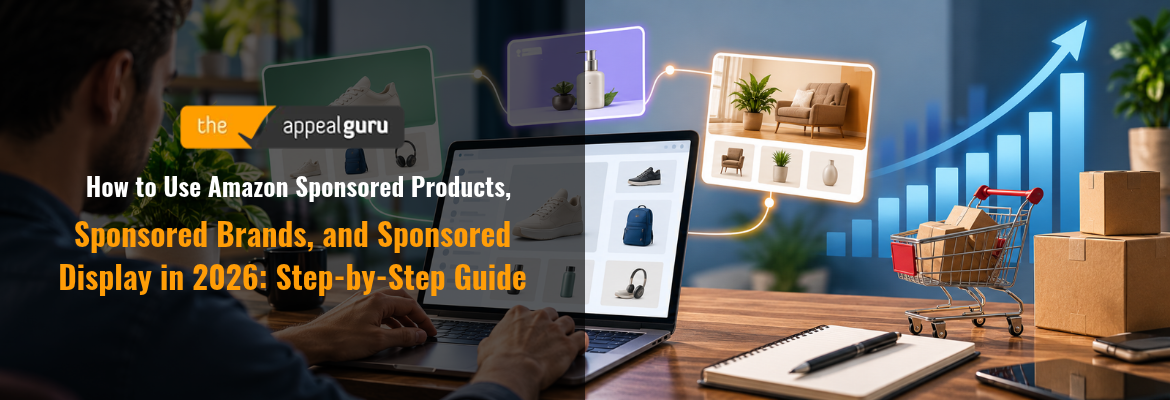
how to use Amazon Sponsored Products | This beginner’s guide, updated October 2026 by The Appeal Guru Editorial Team, walks you through setting up Amazon Sponsored Products for a full-funnel advertising strategy. Most sellers finish the full setup within 2-4 weeks.
What You’ll Learn
- How to connect Amazon Sponsored Products, Sponsored Brands, and Sponsored Display into one advertising system in 2026.
- When to launch each ad type, and how to split your budget across them.
- How to read performance signals so you know when to scale, pause, or reallocate spend.
- How Sponsored Products captures ready-to-buy shoppers, and how Sponsored Brands and Sponsored Display build awareness and bring back people who almost bought.
- How to pick the ad type that fits your goal, budget, and catalog stage.
- A realistic, step-by-step launch sequence from Sponsored Products through Sponsored Display.
- Current 2026 benchmarks for ACoS, CPC, and conversion rate by ad type.
- How to protect your account health and ad eligibility as your spend grows.
Prerequisites: an active, non-suspended Amazon Seller or Vendor Central account, at least one live listing with images and a price, and (for Sponsored Brands and, in some cases, Sponsored Display) enrollment in Amazon Brand Registry.
Why Combining All Three Ad Types Matters in 2026
Amazon advertising gets more expensive and more crowded every year, so relying on a single ad type means leaving real money on the table. Industry benchmarks put the platform-average cost of sales at roughly 34% ACoS, with an average CPC near $1.13 in 2026, a sharp climb from earlier years. Meanwhile, average CTR sits around 0.56% and conversion rate near 10.5%. Efficiency now comes from matching the right ad type to shopper intent, not from simply raising bids.
Each ad type has a distinct job. Sponsored Products is the workhorse for promoting individual listings in search results. Sponsored Brands builds logo and headline awareness and requires Brand Registry enrollment. Sponsored Display is the only format that can retarget shoppers on and off Amazon. Sellers who run all three in a deliberate sequence tend to report a steadier, full-funnel presence than those who depend on Sponsored Products alone.
Account health is the part many sellers overlook. Your ad spend is only as good as the account behind it. If a policy flag or suspension lands mid-campaign, every dollar you spend stops converting. Keeping your account in good standing is part of a healthy advertising strategy. Specialists like The Appeal Guru can help sellers scale their ad spend with confidence.
Key Takeaway: Combining Sponsored Products, Sponsored Brands, and Sponsored Display helps you offset rising costs, match shopper intent, and build a stable full-funnel presence. Account health sits underneath all of it. For supporting data, see Sponsored Brands – Increase brand awareness.
The Process at a Glance
| Step | Action | Time | Outcome |
|---|---|---|---|
| 1 | Choose the right ad type for your current goal | 30-60 minutes | Clear campaign priority set |
| 2 | Launch your first Sponsored Products campaign | 1-2 hours | Live PPC campaign capturing sales |
| 3 | Add Sponsored Brands for awareness | 2-3 hours + approval wait | Branded banner live in search |
| 4 | Layer in Sponsored Display for retargeting | 1 hour | Re-engagement campaign recovering lost shoppers |
| 5 | Monitor, optimize, and protect account health | 30 minutes weekly | Stable ACoS and sustained ad eligibility |
Total time to a full-funnel setup: roughly 2-4 weeks, including Brand Registry approval and the campaign learning period.
Step 1: Choose the Right Ad Type for Your Goal
What You’re Doing
Before you open Seller Central, match your business stage, budget, and objective to the ad type built for them. Get this right and everything downstream gets easier.
How to Do It
- Decide on your primary goal: immediate sales, brand awareness, or re-engaging shoppers who didn’t convert.
- Check your Brand Registry status. Sponsored Brands requires it, while Sponsored Products does not.
- Look at your catalog size. A single product calls for a narrow start, while a multi-product brand can handle a wider mix.
- Set a monthly ad budget you can sustain for at least 4-6 weeks, so early swings don’t push you into rash decisions.
Best Practices
- If you’re new and working with a limited budget, start with Sponsored Products. It’s easier to launch and doesn’t require the same creative assets as brand-led campaigns.
- If you’re growing, pair Sponsored Products with either Sponsored Brands or Sponsored Display, based on your most pressing objective. Resist launching all three on day one.
Example
| Your Situation | Best Starting Approach | Why |
|---|---|---|
| One product, limited budget | Sponsored Products only | Drives shoppers directly to the product detail page |
| Growing brand, 3-10 SKUs | Sponsored Products + Sponsored Brands or Display | Combines demand capture with brand discovery or audience reach |
| Established brand, full catalog | Sponsored Products + Brands + Display | Builds a broader full-funnel advertising system |
What Done Looks Like
You’ve written down a clear priority (sales, awareness, or retargeting), confirmed your Brand Registry status, and settled on a realistic monthly budget before opening Campaign Manager. For a more detailed walkthrough, see Amazon Sponsored Display Ads: The Complete 2026 Guide.
Step 2: Launch Your First Sponsored Products Campaign
What You’re Doing
Sponsored Products is the foundation for everything else. You’ll create a keyword- and product-targeted campaign that shows up in search results and on product pages, reaching shoppers already looking to buy.
How to Do It
- In Seller Central, open Campaign Manager, select “Create campaign,” and choose Sponsored Products.
- Start with an Automatic targeting campaign for 1-2 weeks and let Amazon’s algorithm find the search terms that convert.
- After 7-14 days, download the search term report and move proven converting terms into a Manual campaign using exact match.
- Set a daily budget you can keep running for 30 days. Pausing too soon wastes what you’ve already learned.
- Add negative keywords for irrelevant or wasteful search terms every week.
Best Practices
- Keep Automatic and Manual campaigns separate so you can see which targeting method actually drives profitable sales.
- Measure against category benchmarks. Sponsored Products typically runs in a 15-25% ACoS range with a 10-18% conversion rate, which gives you a realistic target.
Common Mistakes
The costliest mistake is launching Manual campaigns with broad match on untested keywords, which inflates spend before you know what sells. The second is ignoring the search term report for weeks, letting wasted spend pile up on irrelevant queries.
What Done Looks Like
Your Sponsored Products campaign is live and collecting impressions and clicks, and you’ve downloaded at least one search term report to guide your next optimization pass.
Step 3: Add Sponsored Brands to Build Awareness
What You’re Doing
Once Sponsored Products is bringing in steady sales, widen the lens. Sponsored Brands puts your logo, a custom headline, and several products in the most visible banner slot on the search results page. Shoppers not ready to buy the first time will start to recognize your name.
How to Do It
- Confirm your brand is enrolled in Amazon Brand Registry. You can’t launch Sponsored Brands campaigns without it.
- In Campaign Manager, select Sponsored Brands and pick a format: product collection, Brand Store spotlight, or video.
- Write a headline that sells a benefit, not just your brand name. Then choose at least three complementary products to feature.
- Point the ad to your Brand Store or a curated landing page instead of a single product page, so shoppers can browse.
- Submit the ad for creative review. Amazon usually takes 24-72 hours to approve it.
Best Practices
- Judge Sponsored Brands on consideration metrics, not just immediate ROAS. Its job is to build awareness and send shoppers to your Store, not to close a single sale.
- Expect a higher ACoS. Current data puts Sponsored Brands in the 20-35% ACoS range with an 8-12% conversion rate, reflecting its mid-funnel role.
What Done Looks Like
Your branded banner appears at the top of relevant search results and sends traffic to your Brand Store, with repeat exposure across your product range.
Step 4: Layer In Sponsored Display for Retargeting
What You’re Doing
Many sellers skip this step, and it’s often where the money is. Plenty of shoppers view your listing and leave without buying. Sponsored Display wins some of them back, something Sponsored Products and Sponsored Brands can’t fully do alone. Running it alongside Sponsored Brands closes the loop between awareness and conversion.
How to Do It
- In Campaign Manager, create a Sponsored Display campaign and choose “Views remarketing” to reach shoppers who viewed your product but didn’t buy.
- Set a lookback window that fits your typical purchase cycle. 30 days is a common starting point.
- Add a second campaign using “Product targeting” to appear on competitor and complementary listings.
- Keep budgets modest at first. Conversion rates can run lower than Sponsored Products, especially with cold audiences.
Best Practices
- Sponsored Display is the only one of the three that can follow shoppers off Amazon onto third-party apps and websites. Use it to recover abandoned product views first, and save cold prospecting for later.
- Expect ACoS in the 25-40% range. That’s normal for a re-engagement format.
What Done Looks Like
You have at least one views-remarketing campaign pulling interested shoppers back to your listing, with spend intentionally below your Sponsored Products budget.
Step 5: Monitor Performance and Protect Account Health
What You’re Doing
Running three ad types only pays off if you review performance regularly and keep your account eligible to advertise. Account health decisions determine whether your campaigns keep running at all.
How to Do It
- Review Sponsored Products weekly, Sponsored Display every two weeks, and Sponsored Brands monthly. Each format needs a different rhythm.
- Track Total Advertising Cost of Sales (TACoS) alongside ACoS. Healthy accounts run TACoS between 10% and 21%, depending on category and stage.
- Compare your account ACoS with the 2026 cross-category average of roughly 32% to 34%. Lower bids on underperforming targets, and raise them on proven converters.
- Check your Account Health dashboard regularly for policy warnings. A suspended listing or account stops every ad type from converting, immediately.
- If you receive a suspension or listing deactivation, act fast. The Appeal Guru can provide clear guidance through a complex suspension.
Example
| Metric | 2026 Healthy Range | Needs Attention If |
|---|---|---|
| Overall ACoS | 25-35% | Above 40% |
| TACoS | 10-15% | Above 20% consistently |
| CTR | 0.4-0.6% | Below 0.3% |
What Done Looks Like
You have a recurring review schedule for all three ad types, your blended ACoS sits inside the healthy range for your category, and your Account Health dashboard shows no active policy violations.
Key Takeaway: Regular performance reviews and proactive account health checks keep your campaigns running and profitable over the long term.
What to Do After Setting Up Your Full-Funnel Campaigns
Phase 1 (Weeks 1-4): Stabilize. Give each campaign time to leave its learning period, move converting search terms into manual campaigns, and resist changing bids every day.
Phase 2 (Months 2-3): Scale what works. Increase budgets on Sponsored Products ASINs with an ACoS below your category average, test new Sponsored Brands creative, and widen Sponsored Display from views remarketing into product targeting.
Phase 3 (Ongoing): Systematize. Keep a steady review rhythm, document your negative keyword list, and revisit your budget split as your catalog grows. A common 2026 starting split is 50% Sponsored Products, 30% Sponsored Brands, and 20% Sponsored Display for newer brands.
Resources You’ll Need
| Resource | Role | Required/Recommended/Optional | Price |
|---|---|---|---|
| Amazon Campaign Manager | Native platform for creating and managing all three ad types | Required | Free (pay per click/impression) |
| Amazon Brand Registry | Unlocks Sponsored Brands and enhanced Sponsored Display features | Required for Sponsored Brands | Free |
| The Appeal Guru | Account reinstatement and appeal support if a suspension interrupts your ad campaigns | Recommended | Fixed pricing, from $1,495 per appeal |
| Ad Badger / similar PPC software | Bid automation and reporting for ongoing optimization | Optional | Paid subscription |
See also, see Amazon.com. Spend less. Smile more..
Common Plateaus & How to Break Through
Problem: Sponsored Products ACoS keeps climbing above 40%
Likely cause: broad match keywords are collecting irrelevant clicks, or you’re bidding on competitive head terms without enough conversion data.
Fix: Pull your search term report, add negative exact matches for non-converting terms, and shift budget toward exact-match keywords that have already produced a sale.
Problem: Sponsored Brands keeps getting rejected in creative review
Likely cause: the headline makes unsupported claims, the images are low resolution, or the landing page doesn’t match the products in the ad.
Fix: Simplify the headline into a factual benefit statement, use high-resolution brand assets, and link to a Brand Store page featuring the exact products shown.
Problem: Sponsored Display spend isn’t converting
Likely cause: you’re targeting cold, unrelated audiences instead of shoppers who already showed interest.
Fix: Narrow back to a 30-day views-remarketing audience first, and confirm your listing converts well on its own. Expand to product targeting once that baseline campaign is profitable.
Problem: Campaigns stopped delivering entirely
Likely cause: a listing deactivation, an account health warning, or a full account suspension. Amazon pauses ad eligibility as soon as a policy issue is flagged.
Fix: Check your Account Health dashboard right away. If a suspension has happened, move quickly with an experienced partner. The Appeal Guru handles Amazon account appeals with a refund guarantee and positive client reviews, from account reinstatement to full ecommerce support. Pricing is fixed and transparent, and repeat appeals on the same case come at no extra cost. For more troubleshooting advice, see 2026 Step by Step Guide to Amazon PPC Sponsored BRANDS ….
Conclusion
Using Amazon Sponsored Products, Sponsored Brands, and Sponsored Display in 2026 comes down to sequencing. Start with Sponsored Products to catch shoppers ready to buy. Once Brand Registry is in place, add Sponsored Brands to build awareness. Then layer in Sponsored Display to win back shoppers who almost converted. Measure the whole system against realistic benchmarks, review it on a steady schedule, and keep your account in good standing.
Key Takeaways
- A full-funnel setup with all three ad types typically takes 2-4 weeks, including Brand Registry approval and campaign learning.
- Each ad type has its own job and benchmark range. Blending them, rather than leaning on one, separates stagnant accounts from growing ones in 2026.
- Your next step: check your Brand Registry status and budget split today, and confirm your Account Health dashboard is clear before increasing spend.
FAQ
How do I use Amazon Sponsored Products, Sponsored Brands, and Sponsored Display in 2026?
Start with Sponsored Products to capture high-intent search traffic. Once you’re enrolled in Brand Registry, add Sponsored Brands to build logo and headline awareness. Finish by layering in Sponsored Display to retarget shoppers who viewed your listings but didn’t buy. Many sellers start near a 50% Sponsored Products, 30% Sponsored Brands, and 20% Sponsored Display split, then adjust as their catalog grows.
Do I need Amazon Brand Registry to run all three ad types?
You need Brand Registry for Sponsored Brands, since it requires your logo, a registered trademark, and approved brand assets. Sponsored Products doesn’t require it. Sponsored Display is more widely available, but you unlock additional creative features once you’re enrolled.
What is a good ACoS for each ad type in 2026?
Current benchmarks put Sponsored Products at 15-25% ACoS, Sponsored Brands at 20-35%, and Sponsored Display at 25-40%. Those ranges reflect each format’s place in the funnel.
How long should I wait before optimizing a new Sponsored Products campaign?
Give a new campaign 7-14 days to get through Amazon’s initial learning period before major bid or budget changes. Then pull your search term report and move proven keywords into a manual, exact-match campaign.
Can using Sponsored Brands and Sponsored Display together really improve results?
Yes. Sponsored Brands builds awareness and brand recall, and Sponsored Display recaptures traffic that didn’t convert on the first visit. It’s also the only format that can follow shoppers off Amazon onto third-party apps and websites. Running them together covers a gap neither format fills alone.
What happens to my ad campaigns if my Amazon account gets suspended?
All advertising stops the moment Amazon flags a listing deactivation or account suspension, regardless of budget or performance. That’s why account health belongs inside your advertising strategy. Services like The Appeal Guru help sellers get reinstated so advertising can resume.
How much budget should a new Amazon seller allocate to PPC in 2026?
Many new brands use a 50% Sponsored Products, 30% Sponsored Brands, and 20% Sponsored Display split to balance immediate sales with brand presence and retargeting. Adjust based on your margins, your category’s ACoS benchmarks, and whether you need ranking momentum or brand recognition more urgently.
How is Sponsored Display different from Sponsored Products if both can appear on product pages?
Sponsored Products is driven by keywords and search. Sponsored Display targets shoppers based on their behavior, both on and off Amazon, rather than their keyword searches. In practice, Sponsored Products captures new demand, and Sponsored Display recovers demand that already existed but didn’t convert.
Methodology: The figures in this guide come from publicly available 2026 Amazon advertising benchmark reports and official Amazon Advertising documentation, current as of October 2026. Results vary by category, listing quality, and competition, so treat these benchmarks as directional guidance rather than guaranteed outcomes.